How to Solve the (not set) Issue in GA4?
If you use GA4, you’ve probably noticed that in traffic source reports, the label (not set) often appears as one of the main sources.
This is a serious issue that complicates the analysis of Google Ads campaign effectiveness and other marketing activities.
Why does this matter?
Accurate data is more important than you might think. Attribution errors don’t just affect traffic reporting—they also impact conversion data and campaign optimization. Inaccurate data makes it harder to make informed decisions about budget allocation, as key insights may be misattributed or completely lost.
Dig into this piece to uncover:
- How GA4 helps you compare lead quality across channels—from Google Ads to organic traffic.
- Which new reports reveal why leads convert or drop off, giving you clarity on funnel performance.
- How to use GA4’s event schema to track real sales progression, from inquiry to conversion.
- Ways to segment and retarget leads more effectively, using audience templates aligned to funnel stages.
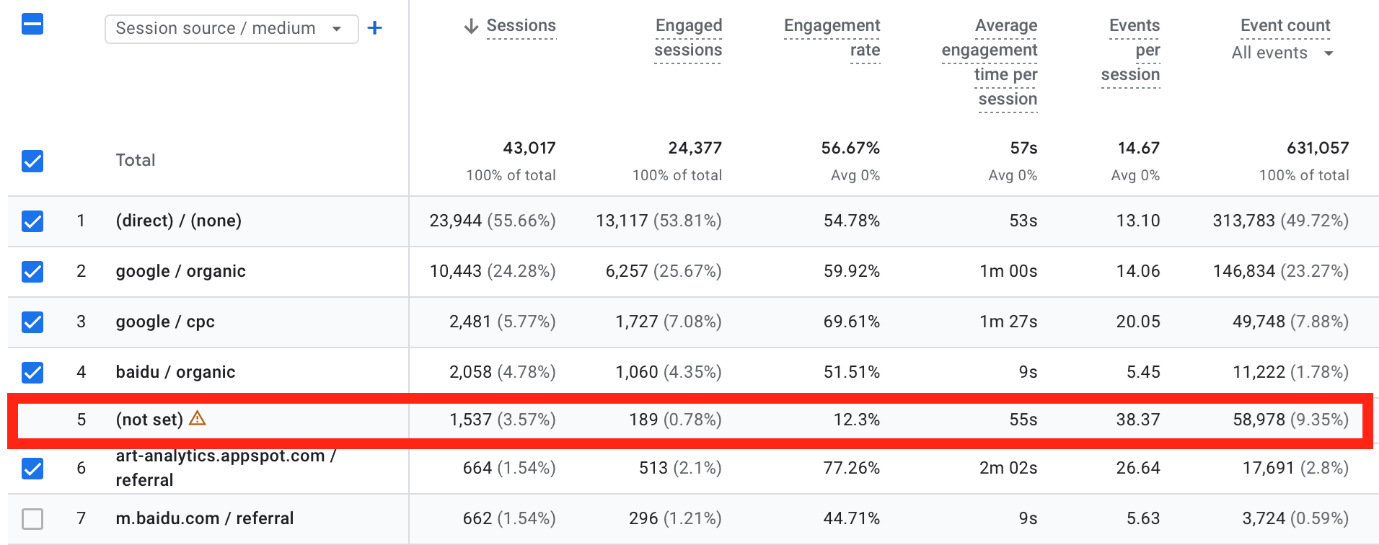
Above: GA4 – in the Google Merch Store demo account, 3.57% of sessions are marked as (not set) due to attribution inconsistencies. Depending on the channels used, this rate sometimes reaches nearly 10%.
What Causes Attribution Problems?
Attribution issues in GA4 can stem from several factors, including:
- Incorrect implementation of consent mode
- Traffic from unlinked Google Ads accounts
- Errors in data processing that lead to over-attribution
- Malfunctioning auto-tagging in Google Ads
- Discrepancies between Google Ads clicks and GA4 sessions
One major cause is the missing ad_user_data parameter in consent mode data, usually due to incorrect configuration of the consent dialog. Without this parameter, Google cannot use GCLID (Google Click Identifier), which prevents accurate attribution of traffic to campaigns or other sources.
Good News: GA4 Update Addresses the Issues
Google Analytics 4 introduced an update that helps resolve this issue. It includes aggregate identifiers, which allow paid traffic to be attributed to key dimensions like:
- Source
- Medium
- Source Platform
- Campaign
- Default Channel
To use this new functionality, you must link your Google Ads account with your GA4 property.
Thanks to these changes, advertisers can better analyze paid traffic and improve conversion attribution from organic traffic to Google Ads campaigns. Be sure to watch for annotation updates, which highlight changes in data due to the new attribution model.
Looking to verify your whole analytics setup? We offer comprehensive audits.
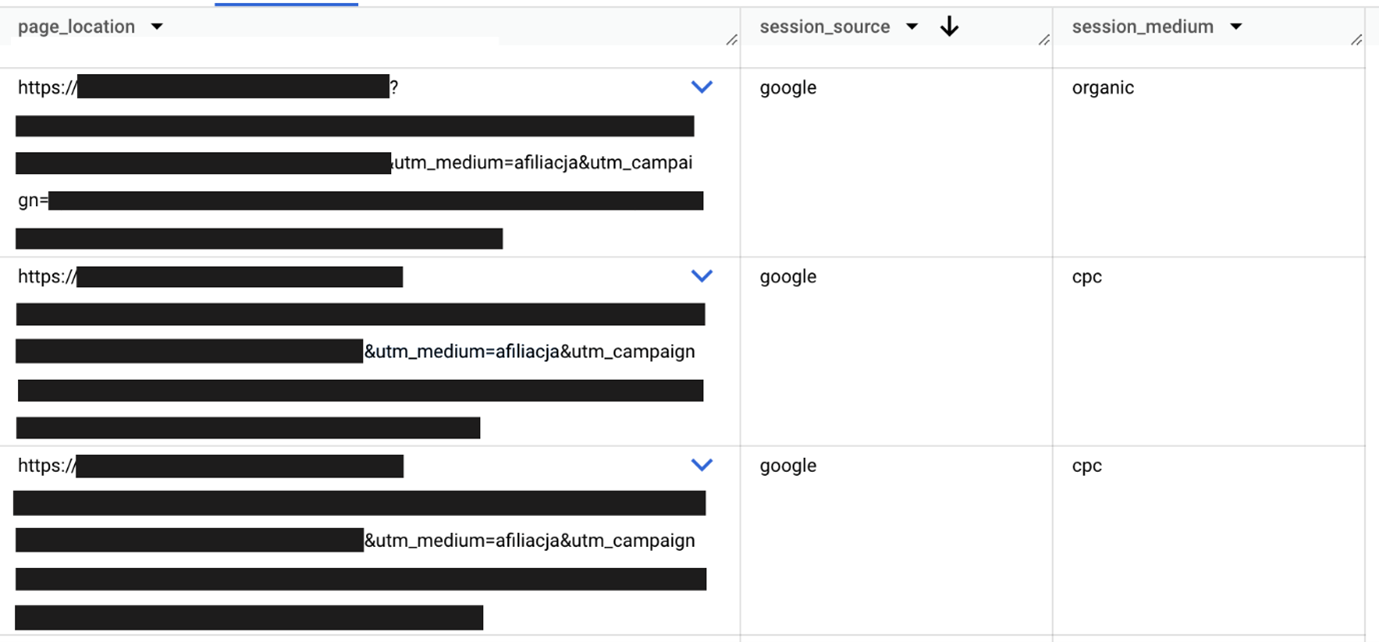
Below: Example of attribution discrepancy – in GA4 data, the value of session medium does not match the utm_medium value contained in the URLs, which suggests an issue with correctly assigning the traffic source.
How Else Can You Improve the (not set) Rate?
- Use manual UTM parameters, but don’t disable auto-tagging in tools that support it.
- Verify your consent mode implementation and ensure consent parameters are passed correctly.
- If you’re still struggling with the „(not set)” issue, it’s worth reviewing your data collection strategy and GA4 setup.